
Customise the upload page and messages
Reposha comes with sensible wording. But your Clients know your voice. Make the upload page and the WhatsApp messages sound like your firm.
Who can do this: the Owner.
Time: about 4 minutes.
What you can change
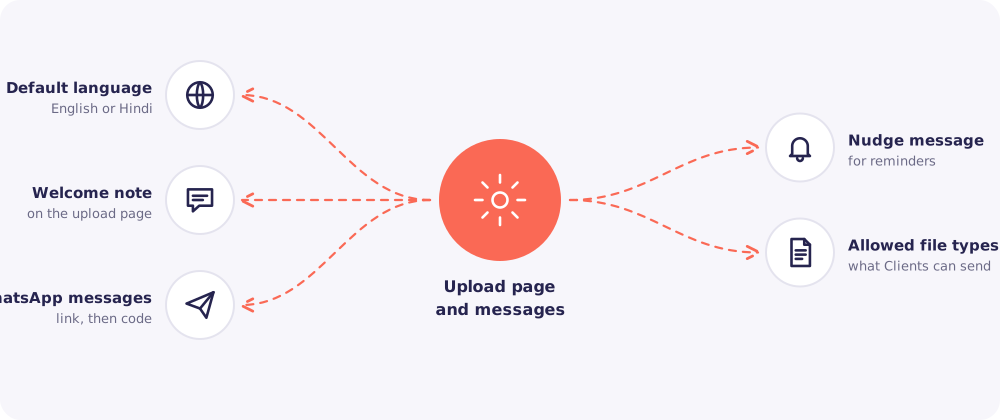
Default language. English or Hindi. Clients can still switch language on the page.
Welcome note. A short line at the top of the upload page. For example, "Thank you for sending your documents on time this year!"
WhatsApp messages. The two messages for each new request: one with the link, one with the code.
Nudge message. The reminder that lists the documents still missing.
Allowed file types. Choose which of the supported types your Clients may send: PDF, Word (.docx), Excel (.xlsx), CSV, JPG and PNG.
Step by step
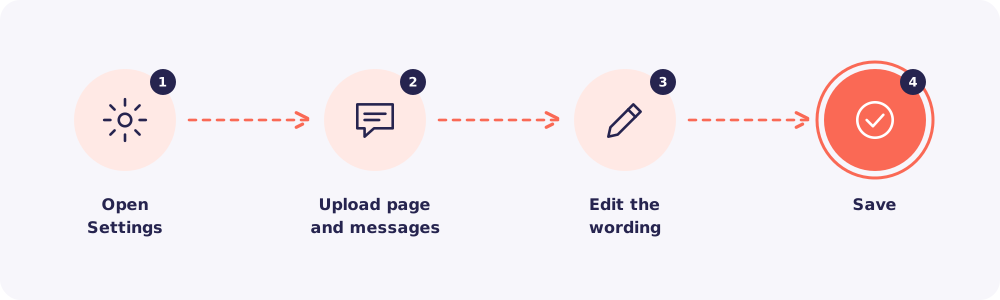
- Click Settings in the left menu.
- Click Upload page and messages.
- Edit the wording or the options.
- Save. New messages and page visits use the change at once.
Writing tips
- Keep it short. Clients read on a phone, often in a hurry.
- Say who you are. Start with your firm's name, so the message isn't mistaken for spam.
- Be warm, then clear. A thank-you, then exactly what to do.
- Keep the link and the code in. Each message needs its part to work. Don't delete them while editing.
Tip: Send a test request to yourself after editing, and read the message as a Client would.