
How to upload your documents
Your CA or advisor has sent you a secure link and a 6-digit code on WhatsApp, as two messages. It takes about two minutes to send your documents. You don't need an app or a password.
You will need: your phone, the two WhatsApp messages from your firm (the link and the code), and your documents or a camera.
Time: about 2 minutes.
At a glance
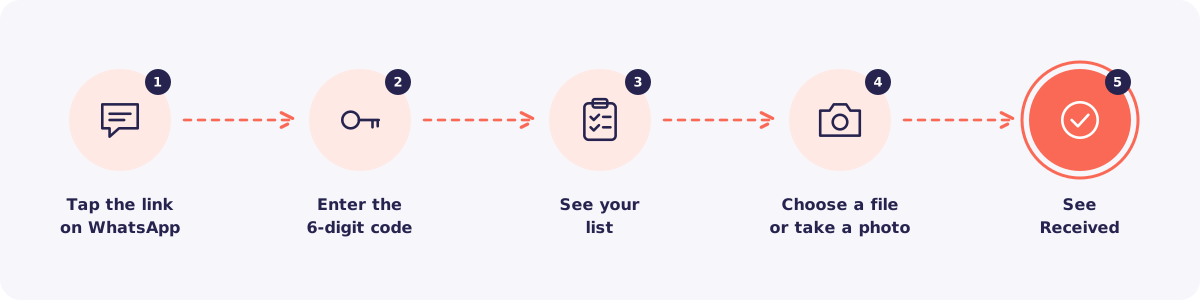
Step 1. Tap the link
Open the WhatsApp message with the link from your firm. Tap the link. A page opens with your firm's name.
Step 2. Enter the 6-digit code
Type the 6-digit code from your firm's second message. You only need to do this once on your phone for this request.
Step 3. See your list
You now see the list of documents your firm needs, for example "Form 16" or "PAN card".
Step 4. Choose a file or take a photo
Tap a document on the list. Then:
- Tap Choose files to pick a PDF or photo from your phone, or
- Tap Take photo to use your camera.
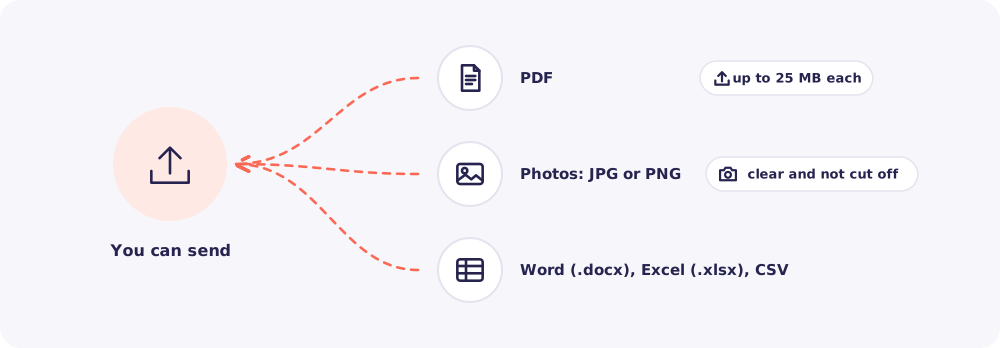
Tip for photos: Put the paper on a flat table in good light. Make sure all four corners are in the picture.
Step 5. Wait for Received
Wait for the Received tick next to each document. Then do the next one.
When you're done, you see a receipt with a reference number. Take a screenshot of it. It proves what you sent and when.
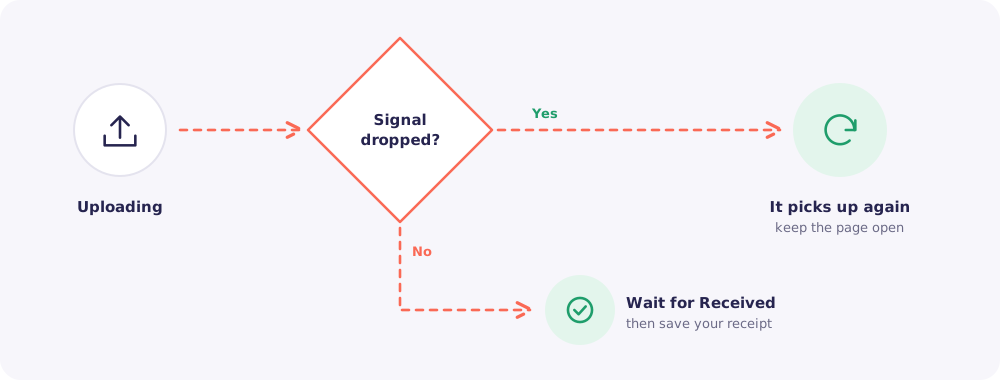
Weak network? Don't worry. If your signal drops, the upload picks up again from where it stopped. Just keep the page open.
Is it safe?
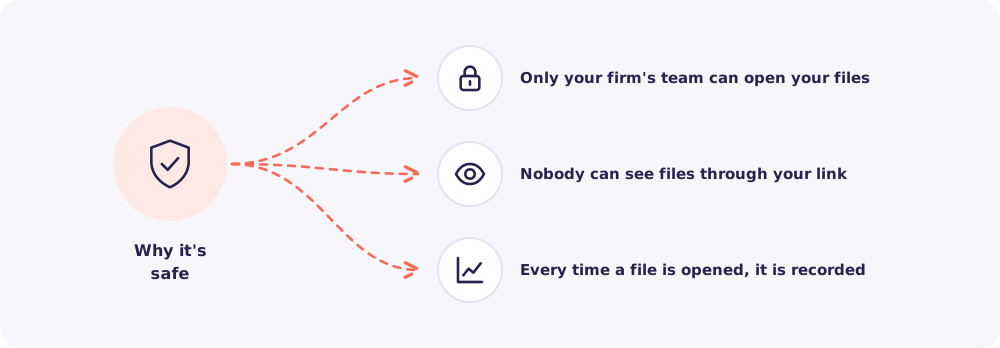
Yes. Your documents go straight into your own private folder at your firm. Only the people at your firm who handle your work can open them. Every time someone opens a file, it is recorded.
Even you can't see the files after uploading. So if your link ever reaches someone else, they can't see anything.
Quick answers
The page says the code is wrong. Check you're using the most recent code your firm sent. After 5 wrong tries, the page pauses for 15 minutes. If you're still stuck, ask your firm for a new code.
My file won't upload. Check the type and size. Send PDF, Word (.docx), Excel (.xlsx), CSV, JPG or PNG files, up to 25 MB each. Old .doc and .xls files, and HEIC photos, aren't accepted.
I uploaded the wrong file. Tell your firm. They can ask you to upload it again.
Will Reposha email or call me? No. You only ever hear from your own firm.