
Ask your firm to delete your data
Under India's data protection law, you can ask for your personal data to be deleted. You can make the request from the same link you use to upload.
You will need: your upload link and the latest access code from your firm.
Time: about 2 minutes.
At a glance
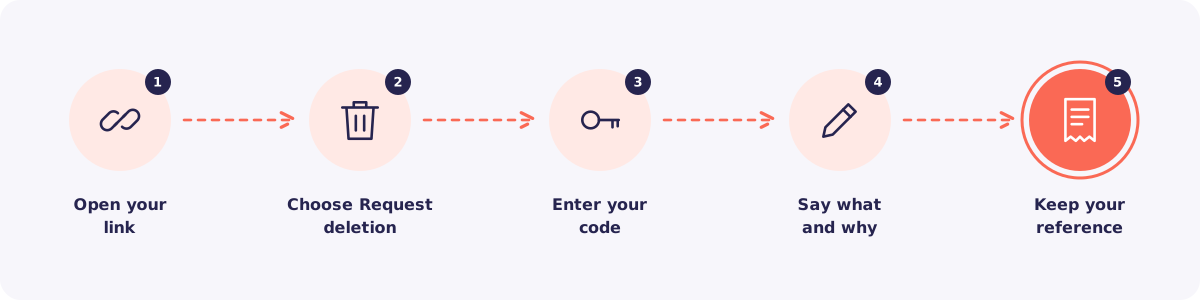
Step 1. Open your link
Tap the upload link your firm sent you on WhatsApp.
Step 2. Choose Request deletion
Tap Request deletion on the page.
Step 3. Enter your code
Type the most recent 6-digit code your firm sent you. This proves the request comes from you.
Step 4. Say what and why
Choose what you want deleted. Add your reason, and how your firm can contact you.
Step 5. Keep your reference number
You get a reference number. Take a screenshot of it. Use it to check your request later.
What happens next
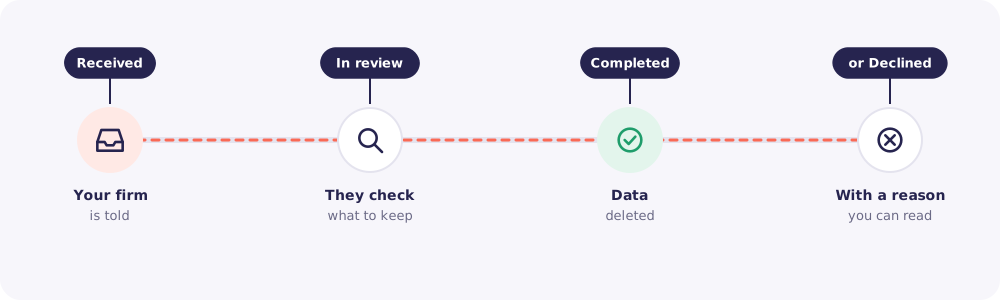
- Received. Your firm is told about your request.
- In review. They check what they're allowed to delete.
- Completed. Your data is deleted.
- Or declined. Sometimes a firm must keep records by law, for example for tax. If so, they give you the reason.
Your firm has 30 days to answer. If they don't, the request goes to Reposha to follow up.
Lost your link?
Ask your firm to send your link again. They can do it in a minute. Your firm is the one who can delete your documents, so contact them directly.
If your firm doesn't reply, write to support@reposha.com or use the Contact form on reposha.com.