
Nudge a Client who hasn't uploaded
Chasing Clients for papers is the most tiring part of the job. A Nudge writes the reminder for you. It lists only what's still missing, so your Client knows exactly what to send.
Time: under a minute.
At a glance
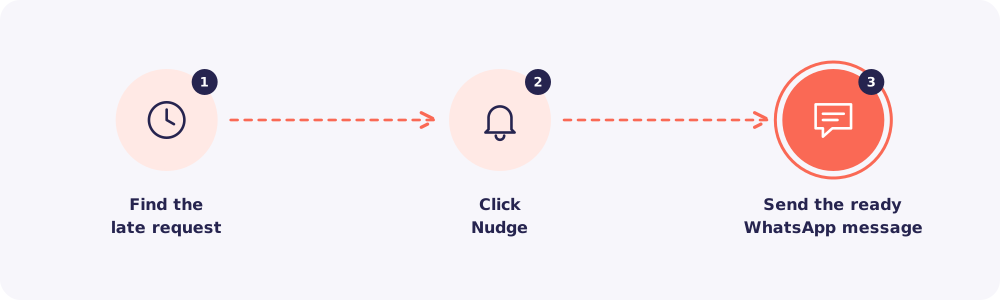
Step 1. Find the late request
Open Overdue requests from the dashboard. Or filter the Requests list by Overdue.
You can also Nudge straight from the Clients list. Each row has its own Nudge button.
Step 2. Click Nudge
Click Nudge on the request. WhatsApp opens with a ready message to that Client.
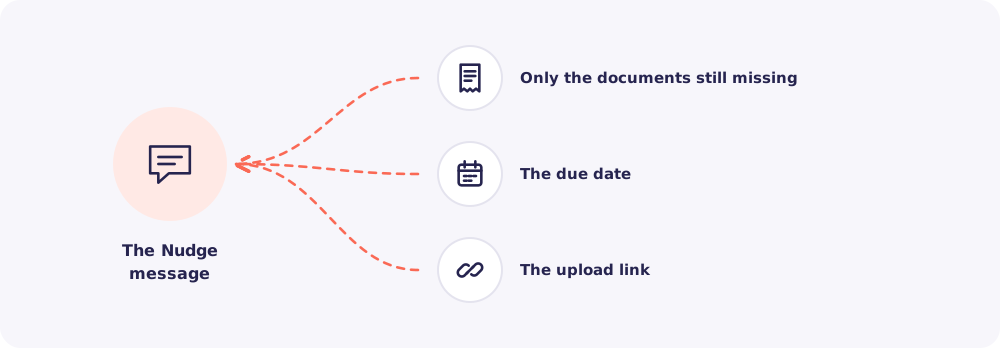
The message holds:
- only the required documents still missing,
- the due date,
- the upload link.
Lost the code too? Send the code again from the request as its own message.
Step 3. Send it
Read it once, then send. Reposha records the Nudge. The request then shows when it was last nudged, for example "Last nudged 2 days ago".
When to Nudge
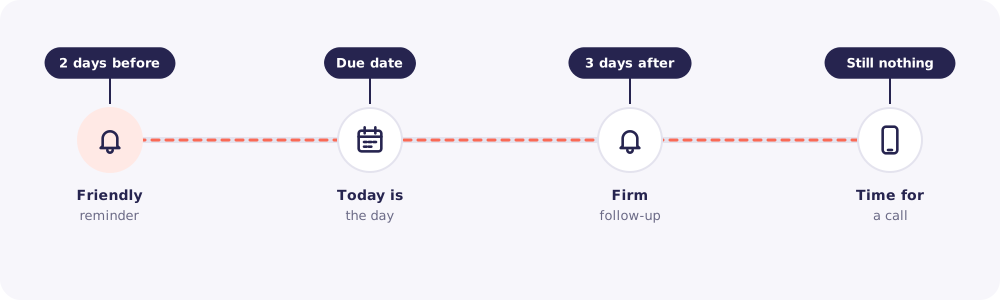
A simple rhythm works well:
- Two days before the due date: a friendly reminder.
- On the due date: "Today is the day."
- Three days after: a firmer follow-up.
- Still nothing? Pick up the phone.
Good to know: "Last nudged" stops two people chasing the same Client on the same day.
Quick answers
Can I change the wording of the Nudge? Yes. The Owner can edit it in Settings → Upload page and messages.
Does Reposha send Nudges by itself? No. Every Nudge opens in your own WhatsApp. You decide when it goes.