
Track a request item by item
No more "Did you send the Form 16?" calls. Every request shows exactly what has arrived and what is still missing.
Time: about 3 minutes to read.
The life of a request
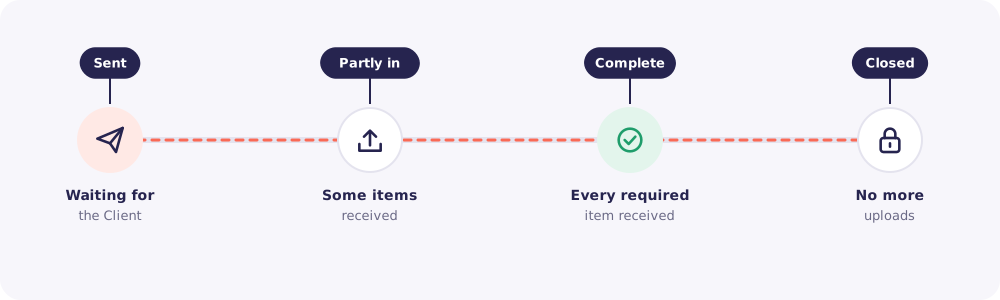
- Sent. You've shared the link and the code. Waiting for the Client.
- Partly in. Some items have arrived.
- Complete. Every required item is in. You get a notification.
- Closed. You've closed it. No more uploads on its code.
The state of each item
Open a request from Requests to see each item on its own line.
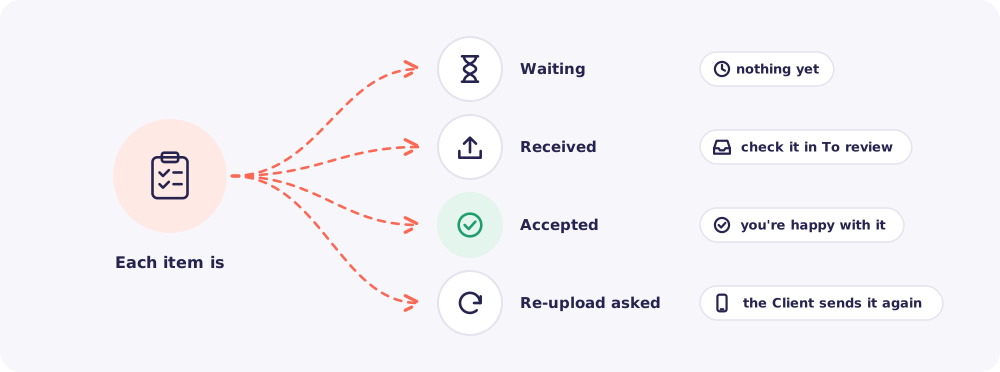
- Waiting. Nothing yet.
- Received. A file has arrived. Check it in To review.
- Accepted. You've checked it and you're happy.
- Re-upload asked. The file wasn't right, and the Client needs to send it again.
Click any received file to open it.
Find the requests that need you
The Requests page lists every request. Use the filters to narrow it down.
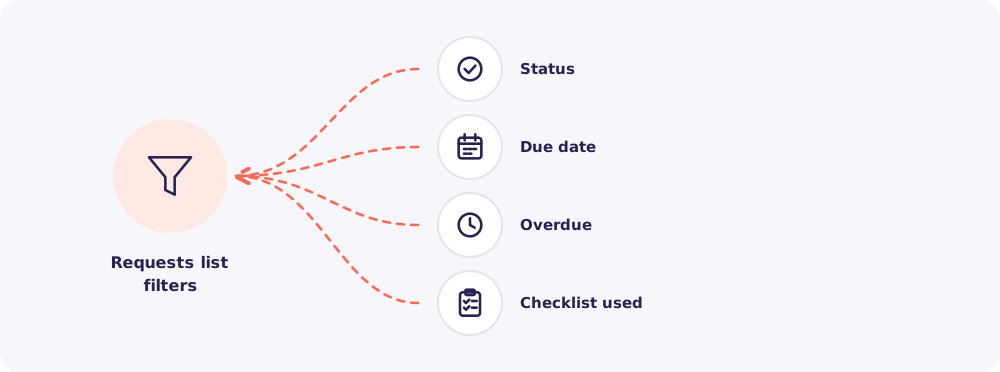
Tip: Filter by Overdue every morning. Those are the Clients to Nudge today.
Proof of upload
On a request's page, you can download its upload record as a PDF.
It shows each file with its name, size and upload time. It also shows when the access code was sent and when it was entered. Keep it with your working papers if a Client ever says they sent something they didn't, or never sent something they did.