
Close a request
A closed request is a finished job. Closing it keeps your Requests list short, and stops any late uploads arriving on its code.
Time: under a minute.
When to close
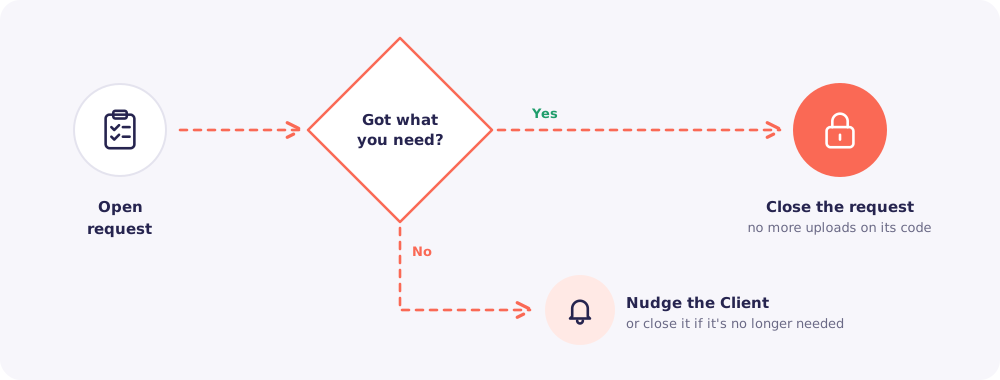
- You have everything. Every file is in and accepted.
- You no longer need it. The work was cancelled, or the Client moved to another firm.
Still waiting on documents? Nudge the Client instead.
Step by step
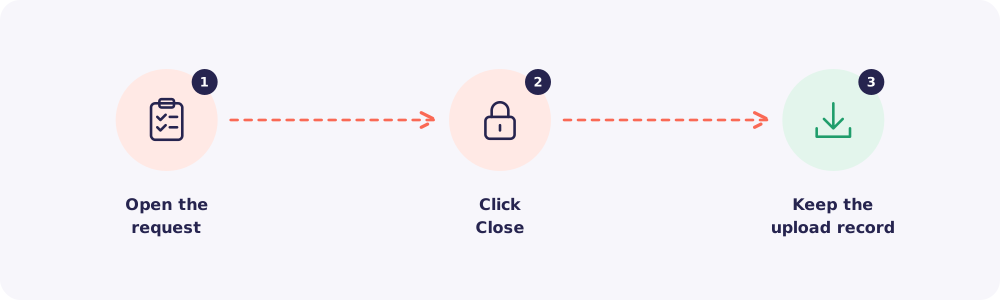
Step 1. Open the request
Go to Requests and click the request.
Step 2. Close it
Click Close. The request moves to closed. Its access code no longer accepts uploads.
Step 3. Keep the upload record
Before you move on, download the upload record PDF if you want it for your files. It shows what arrived and when.
Good to know: Closing a request never deletes any files. They stay in the Client's folder.
Quick answers
My Client needs to send one more file after I closed it. Create a new request with just that item. It comes with a fresh code.