
"Owner, Manager, Staff: who can do what"
Everyone who logs in to your Reposha account is a Team member. Each Team member has one of three roles. The role decides what they can see and do.
Time: about 3 minutes to read.
The three roles
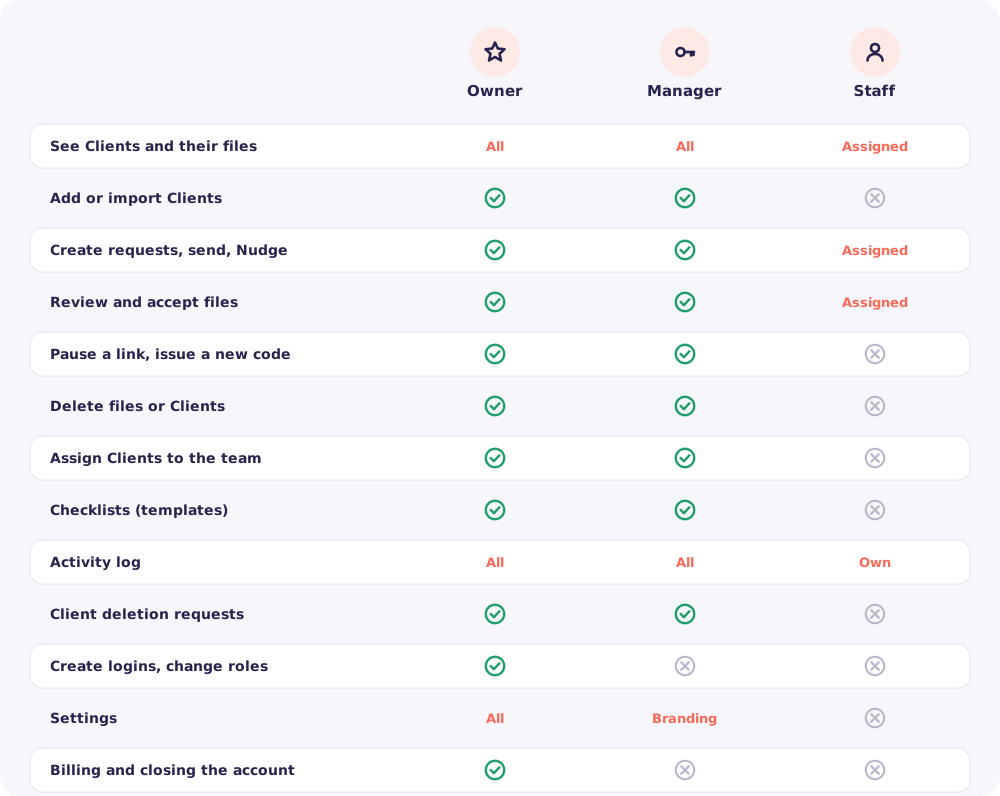
Owner. The person who signed up and pays. There is one Owner per account. The Owner can do everything, including billing and creating logins for the team.
Manager. Runs the daily work. A Manager sees every Client, adds Clients, assigns them to the team and handles deletion requests. A Manager cannot create logins or touch billing.
Staff. Works on the Clients assigned to them. Staff send requests, review files and Nudge their own Clients. They never see anyone else's Clients.
The full picture
Why Staff see only their Clients
A Staff member's list holds only the Clients assigned to them. Other Clients don't appear in their search, their dashboard or their notifications.
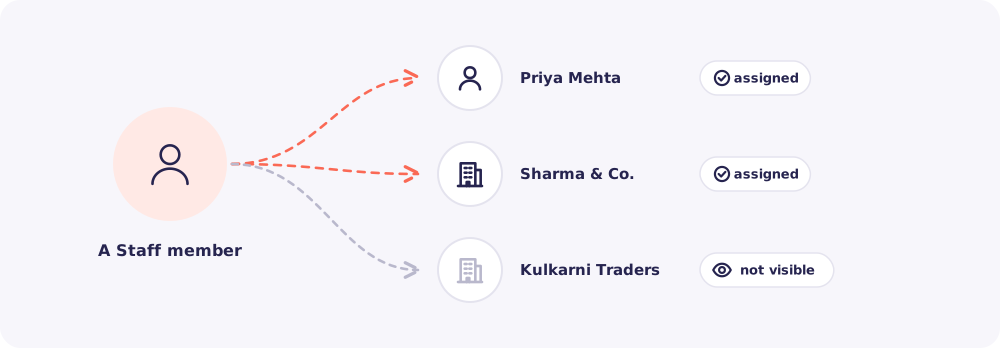
This keeps Client files on a need-to-know basis. It also means the Activity log can show exactly who opened what. Nobody can say "I didn't have access".
Good to know: The Owner is also a Team member. So you can assign Clients to yourself, just like anyone else.
Choosing a role for someone
Ask one question: will this person run the work, or do the work?
- They run it (a partner, a senior manager): make them a Manager.
- They do it (an article assistant, an accounts executive): make them Staff, and assign their Clients.
You can change a role at any time from Team. Only the Owner can do this.
Quick answers
Can there be two Owners? No. There is one Owner per account. Give your partner the Manager role.
Can a Manager see the bill? No. Billing and closing the account are for the Owner only.
Can Staff add a new Client? No. Only the Owner and Managers add Clients. Then they assign the Client to the right Staff member.