
Add a Team member and share their login
Reposha doesn't send invitation emails. You create each login yourself and hand it over. That way, only people you chose ever get in.
Who can do this: the Owner.
You will need: the person's name and work email.
Time: about 3 minutes.
At a glance
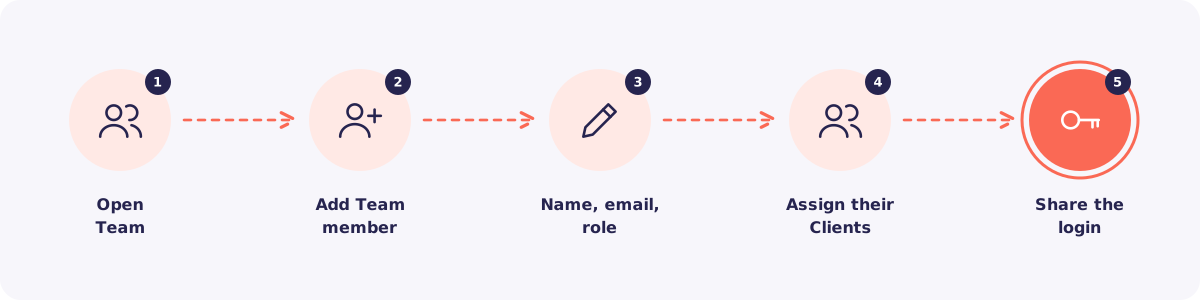
Step 1. Open Team
Click Team in the left menu. You see everyone with a login, their role, and how many logins your plan includes.
Step 2. Click Add Team member
Click Add Team member.
Step 3. Enter name, email and role
Type the person's name and email. Then choose their role:
- Manager for someone who runs the daily work.
- Staff for someone who works on assigned Clients.
Next, set a temporary password. They will replace it at their first login.
Not sure which role? See Owner, Manager, Staff: who can do what.
Step 4. Assign their Clients
Tick the Clients this person will handle. Staff see only these Clients. You can change this any time.
Then save.
Step 5. Share the login
Give the person three things: the address app.reposha.com, their email, and the temporary password.
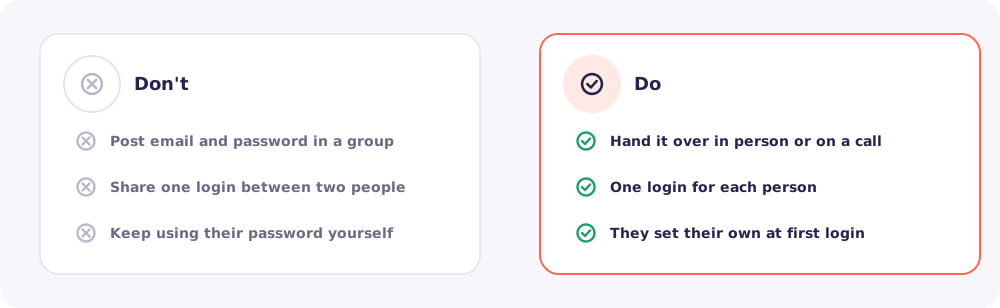
At their first login, Reposha makes them choose their own password. From then on, only they know it. So every action in the Activity log truly belongs to them.
Quick answers
I've used all the logins on my plan. Extra logins can be added to your plan from Billing.
They forgot the temporary password. Open their name in Team and reset the password. Then share the new temporary one.
Can I require login codes for my team? Yes. Turn it on in Settings → Security. Then everyone gets a 6-digit code by email at login.