
A Client's page, tab by tab
Click any Client's name and you open their page. Everything about that Client lives here, in six tabs.
Time: about 3 minutes to read.
The six tabs
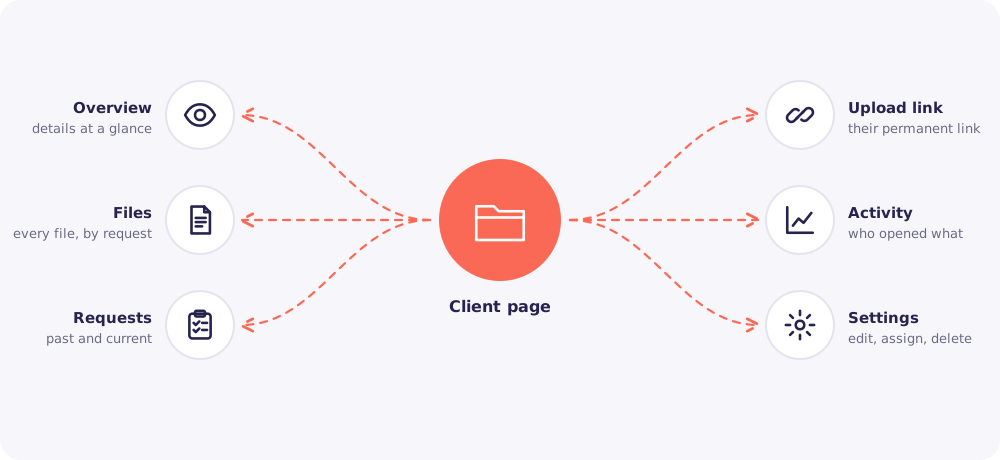
Overview. Contact details, tags, the assigned Team members and any open requests with their progress.
Files. Every file this Client has sent, grouped by request and checklist item. Open, download or review files from here.
Requests. Every request you've sent this Client, past and current. Start a new one from here too.
Upload link. The Client's permanent upload link, and the controls for it.
Activity. Every view, download, upload and change for this Client, with names and times.
Settings. Edit the Client's details, change who is assigned, or delete the Client.
One link, many codes
This is the idea that makes Reposha safe and simple at the same time.
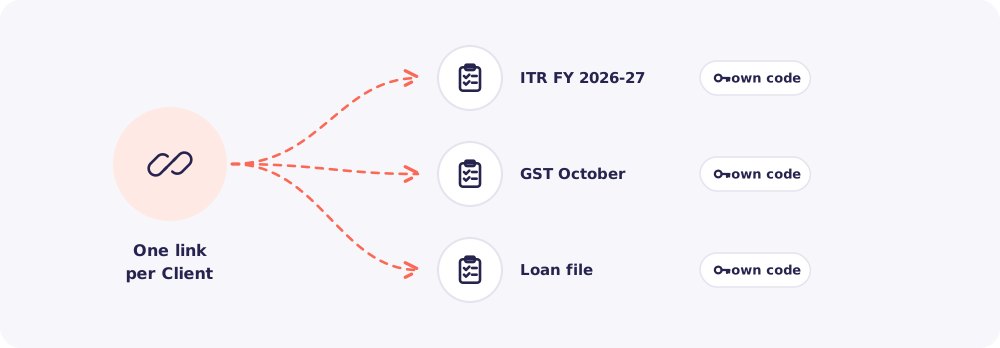
- Each Client has one permanent link. It never changes unless you replace it.
- Each upload request has its own 6-digit access code.
- The code opens only that request's checklist. So a Client always uploads against the right request.
The link alone opens nothing. It always needs a current code.
Upload link controls
The Upload link tab lets you control the link if something goes wrong.
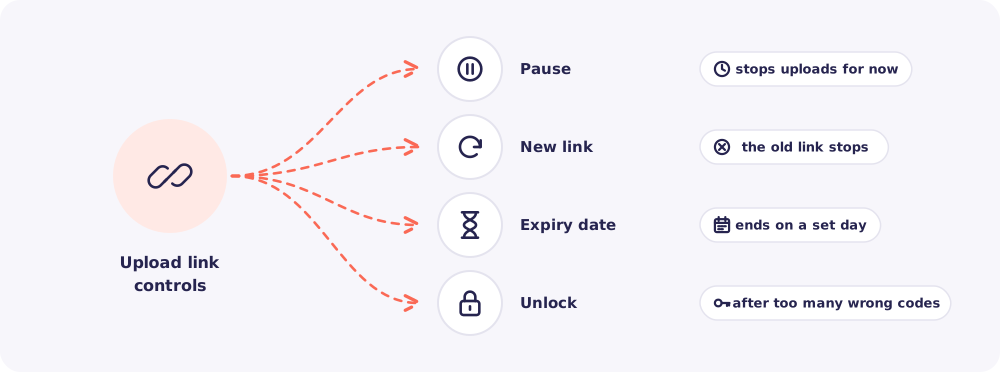
- Pause. Stops uploads for now. Resume when you're ready.
- New link. Creates a fresh link. The old one stops working at once. Use it if a link was shared by mistake.
- Expiry date. The link stops working on the day you choose.
- Unlock. After too many wrong codes, a link locks itself. Unlock it here once you've checked with the Client.
Good to know: These controls are for the Owner and Managers.