
Edit a Client's details
Numbers change and names get misspelled. Keep your Client details correct, so WhatsApp messages reach the right person.
Time: under a minute.
At a glance
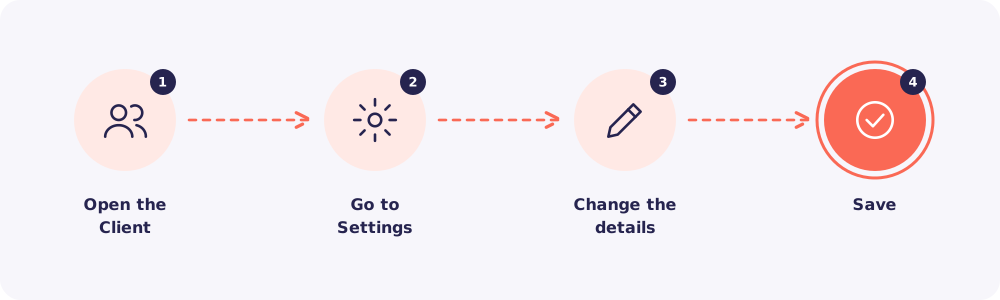
Step 1. Open the Client
Go to Clients, find the Client and click their name.
Step 2. Go to Settings
Click the Settings tab on the Client's page.
Step 3. Change the details
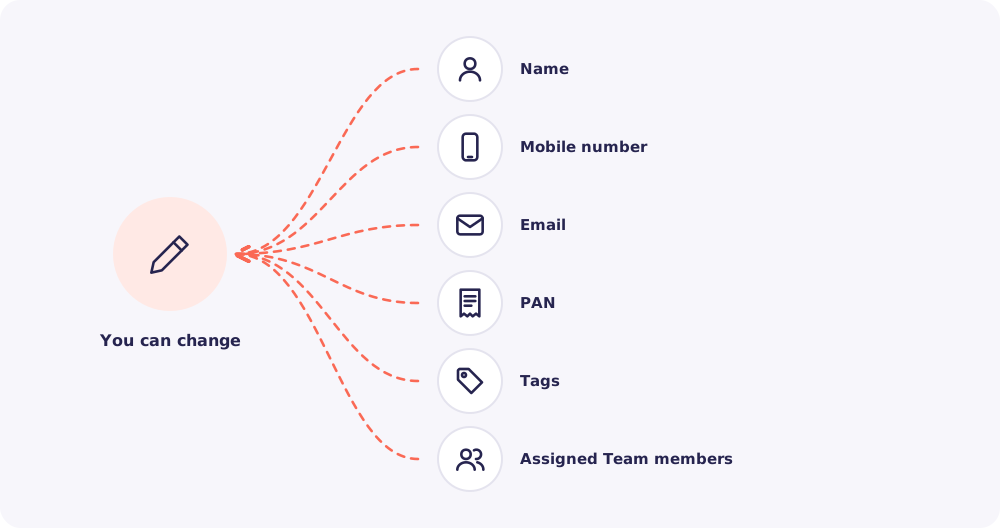
Edit whatever needs fixing. You can also add or remove tags, and change who is assigned.
Step 4. Save
Save your changes. They apply at once, everywhere in Reposha.
Good to know: Every change is recorded in the Client's Activity tab, with who made it and when.
Quick answers
Does changing the mobile number change the upload link? No. The link stays the same. Only the number that WhatsApp opens changes.
Can Staff edit a Client? No. The Owner and Managers edit Client details.
The Client has a new number and the old one may be with someone else. Update the number. Then, to be safe, create a new link from the Upload link tab.