How to Collect Documents From Clients (Without the Chase)
Most firms still collect documents the way they did ten years ago. A client sends a photo on WhatsApp. Another sends a PDF by email. Three days later, a third file arrives with the note "this is the one." Someone in the office then spends an afternoon sorting it out.
This article explains a better way. It covers what goes wrong with the usual methods and a simple system you can start this week.
What is the best way for a CA firm to collect documents from clients securely?
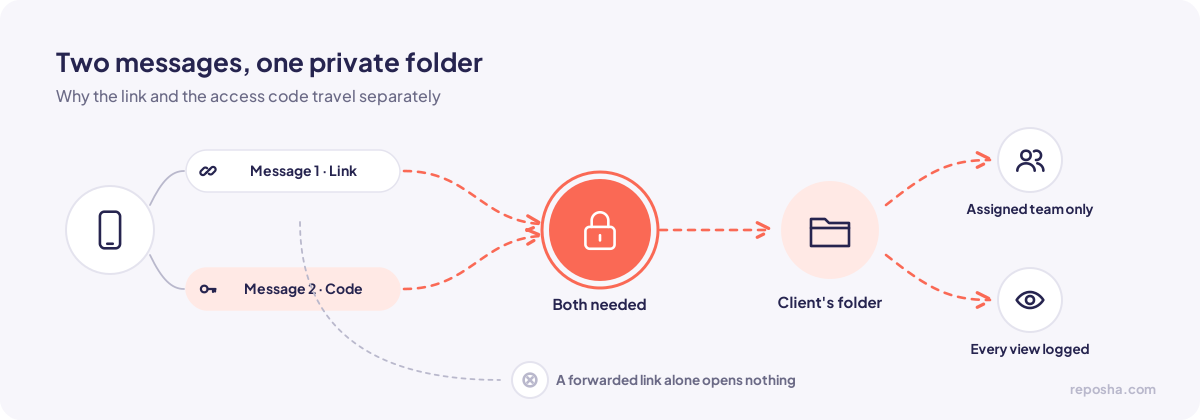
Give each client a private upload link for each request. Send the access code in a separate message. Let every file land in that client's folder. Only the team members assigned to that client should be able to open the files, and every view or download should be logged. A clear checklist sent with the link stops most of the back-and-forth, because the client knows the full list before they start.
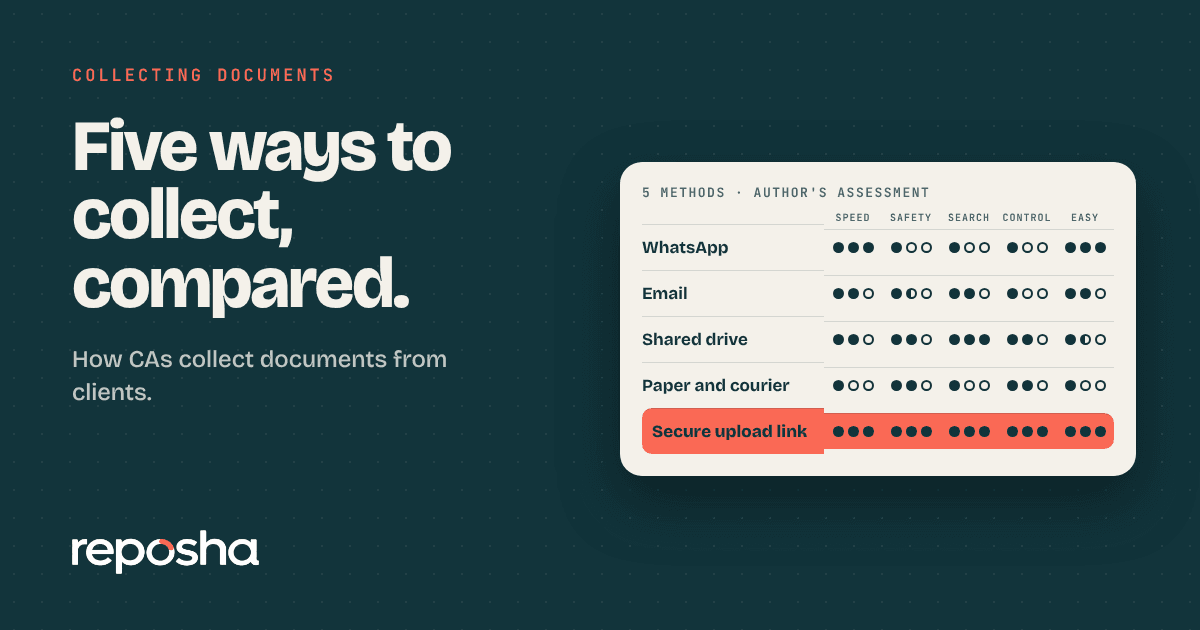
Why the usual methods break down
WhatsApp is fast, and clients already use it. The problem is that a file in a chat lives on every phone in that chat. It can be saved to a gallery automatically, copied into a backup, or forwarded in one tap. Nobody can tell who opened it.
Email has a similar problem. Attachments get forwarded down chains, sit in shared inboxes, and stay there for years. When a team member leaves, their copies stay behind.
Shared drives feel organised, but access tends to pile up. Someone gets added to a folder for one job and never removed. Links are often shared more widely than intended. Clients may need an account to upload, which many of them will not create.
Paper and couriers are slow, and originals get lost in transit.
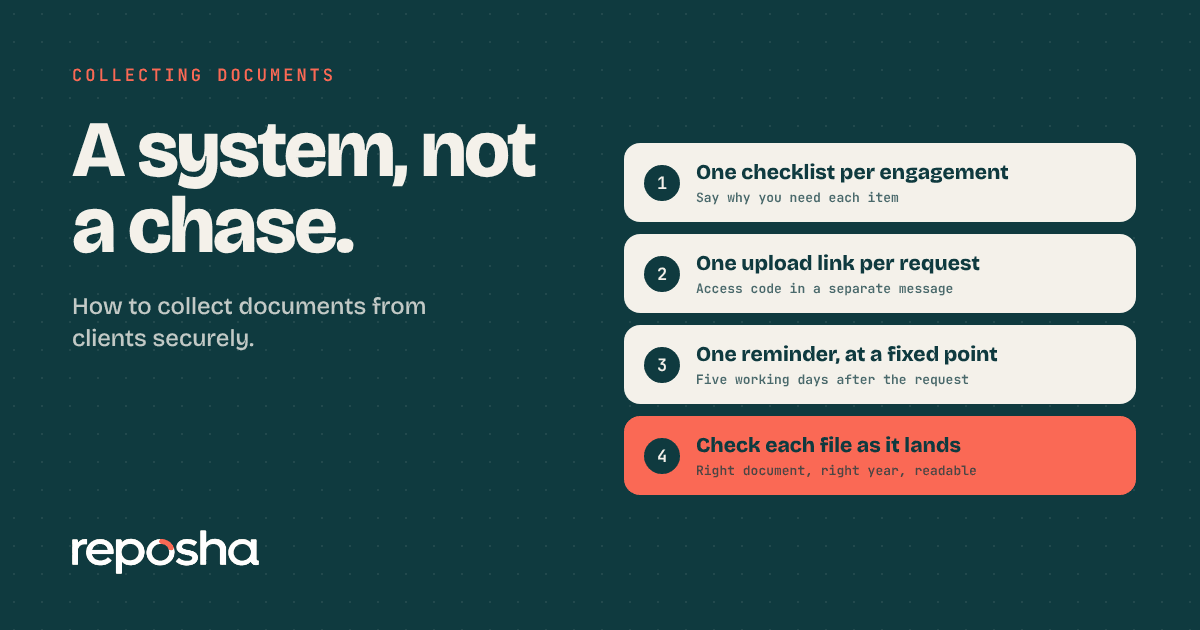
A system that works in four steps
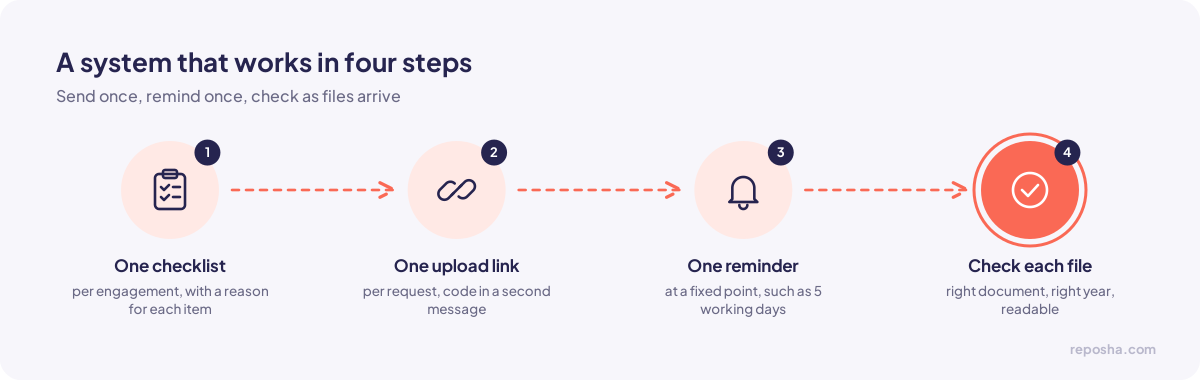
First, send one checklist for each engagement. Name every document, and say briefly why you need it. A client who understands the reason sends the right file the first time.
Second, create one upload link for each request. Send the link in one message and the access code in a second message. Keeping them apart means that a single forwarded message cannot open the files.
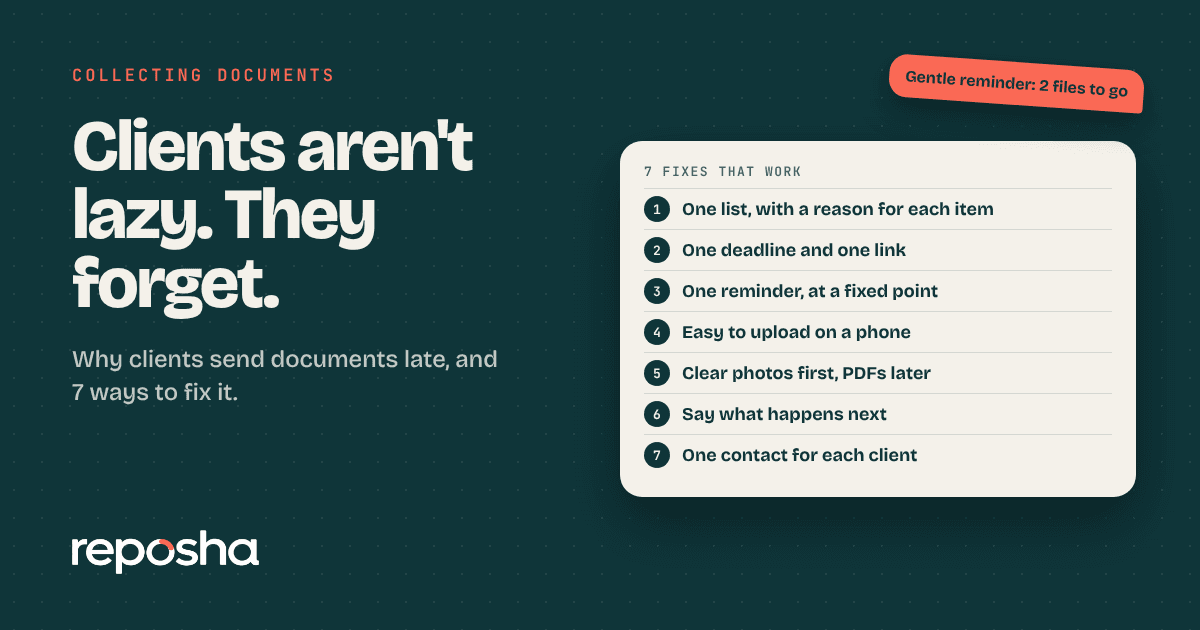
Third, set one reminder at a fixed point, such as five working days after the request. Send one message, then make a phone call to the few clients who have not responded. Daily reminders train clients to ignore you.
Fourth, check each file as it arrives. Confirm that it is the right document, the right year, and readable. Ask for a replacement at once, while the request is still open.
What to put on the checklist
Keep the list short and specific. "Bank statement for April to March, last full year, from the account used for salary" is far better than "bank details." Say whether a clear photo is acceptable or whether you need a PDF. Ask for a file name pattern, such as the client name followed by the document and year.
Some firms also list what they do not need. This saves clients from sending sensitive documents that you will never use.
What a lost file costs
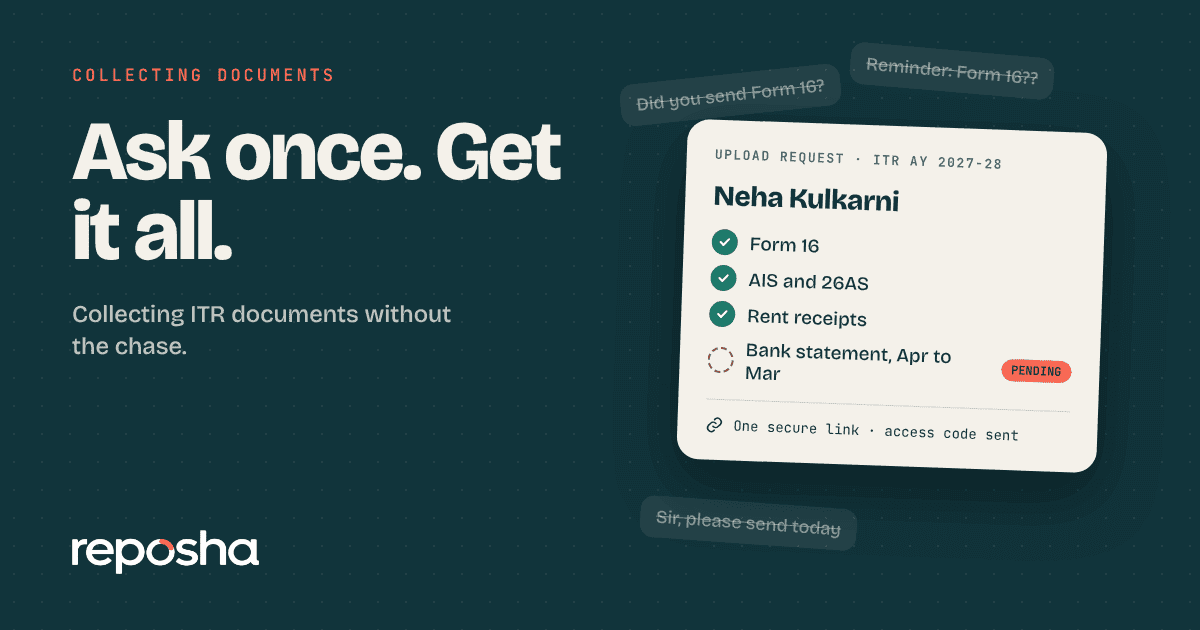
A missing Form 16 delays the return. The client has to search their email, ask their employer again, and send the document a second time. If the delay lands close to the deadline, the cost moves from your time to the client's trust. Most of these losses come from files that were never organised in the first place, not from careless clients.
Where Reposha fits
Reposha is a secure client document service. A firm sends each client a private upload link. Files land in client-wise folders, and every team member sees only the clients assigned to them. Each view and download is recorded in access logs with the team member's name, date and time. Clients upload from a phone or laptop without creating an account, and the upload pages are available in English and Hindi.
Document Intelligence, coming soon, will answer questions from the files inside a client's folder. You can read more about it on the Document Intelligence page.
Questions people ask
Do clients need to install an app?
No. They open the link on any phone or computer and upload the file. The access code they receive in the second message is what allows them in.
Can a firm see who opened a file?
Yes. Every view and download is recorded with the team member's name, date and time. The owner can review the record for each client.
Does this work for a small practice?
Yes. A sole practitioner with 20 or 30 clients gets the same folders and logs as a larger firm. The setup is the same, and the habits take about a week to settle.
If you want to see the upload flow before deciding, the live demo uses dummy client data, so you can click through every step.