
How you hear about uploads
When a Client uploads, your team sees it in the bell inside Reposha. The Owner can also switch on one summary email each morning.
Who can do this: the Owner.
Time: under a minute.
Two ways to hear about uploads
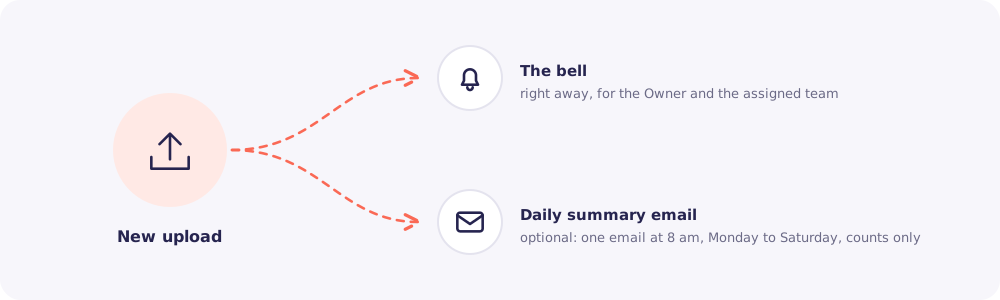
- The bell. Always on. When a Client uploads, a notification appears for the Owner and for the Team members assigned to that Client. You get one notification for each upload, not one for each file. If more files arrive in the same upload, the file count goes up. Click it to open that Client's files.
- The daily summary email. Optional, on by default. One email at 8 am, Monday to Saturday, with yesterday's counts and a button to open Files to review. On Monday it covers the weekend. It is skipped on days with no uploads.
The email shows counts only, for example "You received 14 files from 6 Clients yesterday." It never names a Client or a file.
Who gets the summary email?
- The Owner.
- Managers, if you tick Also send it to Managers in the same Notifications settings.
- Staff do not get the email. They use the bell.
Change the setting
- Click Settings in the left menu.
- Open Notifications.
- Tick or untick Daily upload summary email, and save.
Tip: The bell shows how many notifications you haven't read. The number also appears in your browser tab, so you can see it without opening Reposha.