
Your Monthly Security Report explained
On the 1st of every month, Reposha emails you a short report on last month's activity. Five minutes with it tells you whether everything looks normal.
Time: about 3 minutes to read.
What's in the report
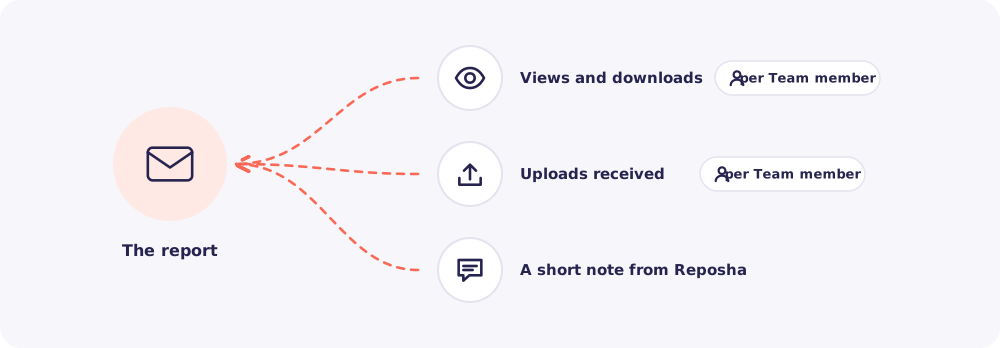
Views and downloads, per Team member. How many files each person opened and downloaded.
Uploads received, per Team member. How many files arrived for each person's Clients.
A short note from Reposha. Product news or reminders, kept brief.
What to act on
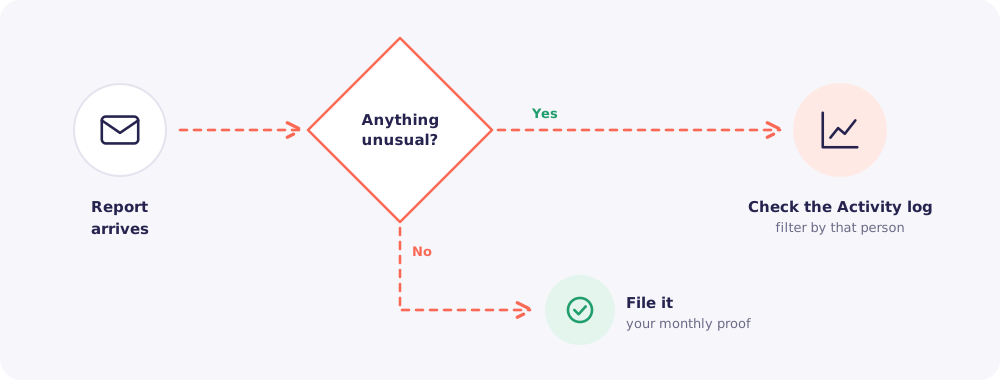
Look for two things:
- Numbers that don't fit. For example, one person downloading far more than usual. Filter the Activity log by that person to see exactly what they opened.
- Names that shouldn't be there. Someone who left, or no longer needs access, should have their login disabled. See When a Team member leaves.
Nothing unusual? File the email. Over time, these reports become your month-by-month proof that Client data was handled with care.