
Try Reposha in the live demo
The live demo is a sample firm with sample Clients and files. You can click through every page, then try the Client upload page on your own phone. Nothing you do is saved, so you can't break anything.
You will need: a laptop and your phone.
Time: about 5 minutes.
At a glance
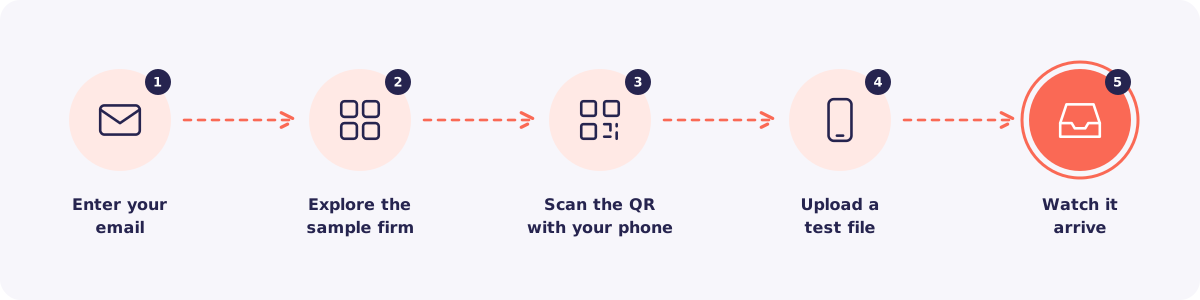
Step 1. Open the demo
Click Try the live demo on reposha.com. Enter your email and choose your practice type. Then click Open the demo.
Step 2. Explore the sample firm
Look around as if it were your own firm. Open a Client. Check their files and requests. Then open Activity to see every view and download, with names and times.
Good to know: This is a shared demo. If you try to save, delete or send anything, you will see a note that changes aren't saved.
Step 3. Scan the QR code
Click Try the client upload page. A QR code appears. Scan it with your phone camera.
The upload page opens on your phone, exactly as your Clients would see it.
Step 4. Upload a test file
Tap any item and choose a photo. Watch the progress bar and the Received tick.
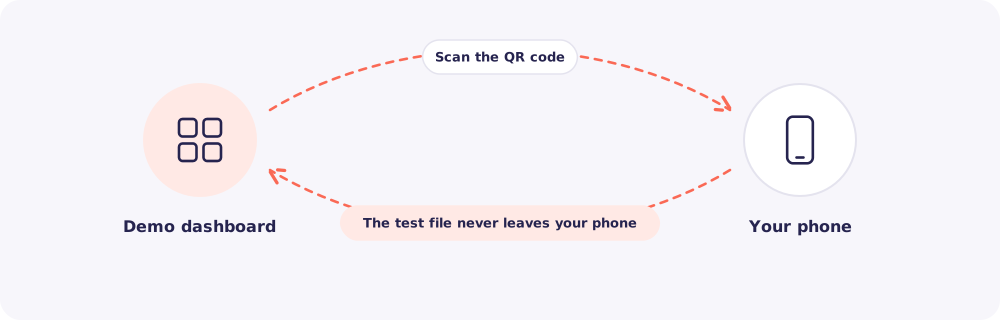
Your file stays private. In the demo, the file never leaves your phone. Only its type and size are shown back on the dashboard.
Step 5. Watch it arrive
Look back at your laptop. Your test upload appears on the demo dashboard within seconds.
What next?
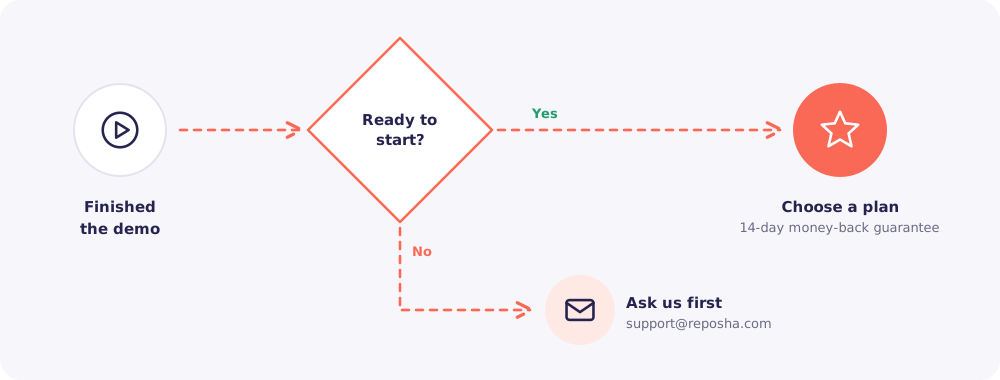
Ready? Click Choose a plan. Your first payment has a 14-day money-back guarantee.
Not sure yet? Email support@reposha.com with your questions. A real person replies.