
Forgot your password
It happens to everyone. A reset link in your email gets you back in within two minutes.
You will need: access to your email.
Time: about 2 minutes.
At a glance
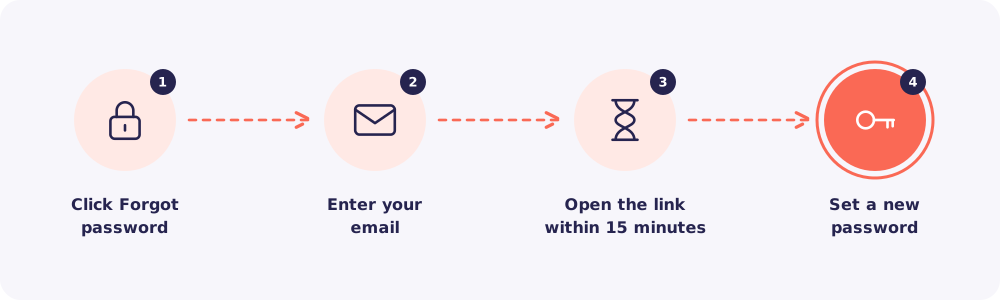
Step 1. Click Forgot password
On the login page, click Forgot password.
Step 2. Enter your email
Type the email you log in with. Then click to send the reset link.
Step 3. Open the link within 15 minutes
Open the email from Reposha and click the link. It works for 15 minutes. After that, ask for a new one.
Step 4. Set a new password
Choose a new password and save it. Then log in as usual. If your account uses login codes, you'll get one by email.
No email?
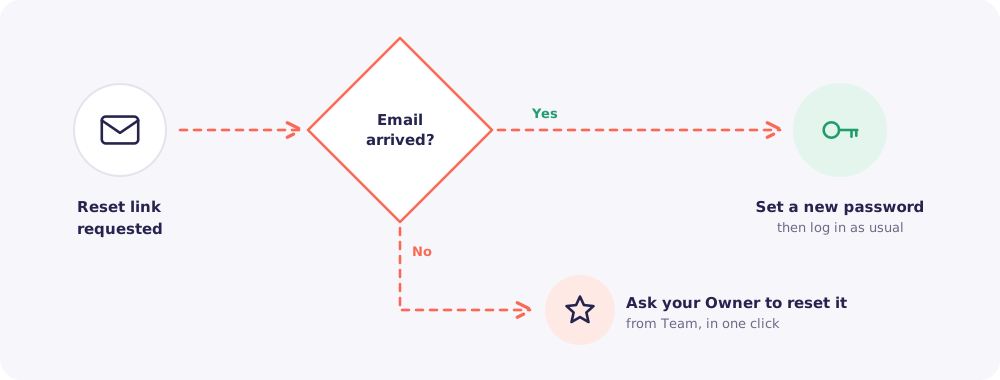
First, check your spam folder. Then try once more, and check the email address for typos.
Team members have one more option. Ask your Owner. They can reset your password from Team in one click. You will then set your own password at your next login.
Owners who still can't get in can write to support@reposha.com from the account email.