
Use your own domain for upload links
A link that starts with your own website's name earns instant trust. Connect a domain once, and your upload links carry your firm's name.
Who can do this: the Owner.
You will need: access to the account where your domain is managed, such as GoDaddy, Hostinger or BigRock.
Available on: every plan, except the Solo plan billed monthly.
Time: about 15 minutes, plus waiting time for your domain provider.
What changes
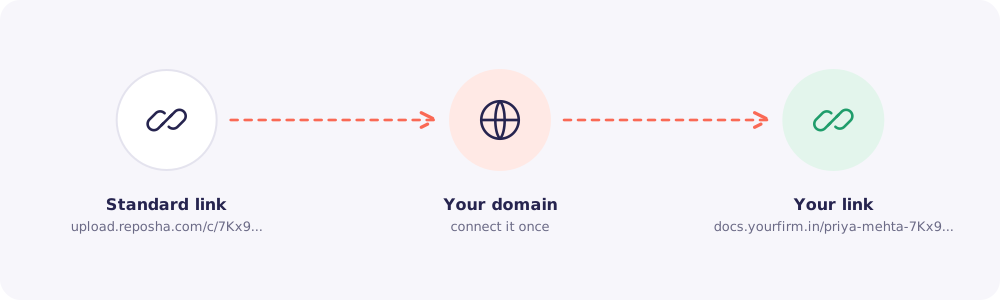
Your Client's link changes from upload.reposha.com/c/... to something like docs.yourfirm.in/priya-mehta-.... Everything else stays the same: the code, the page and the security.
At a glance
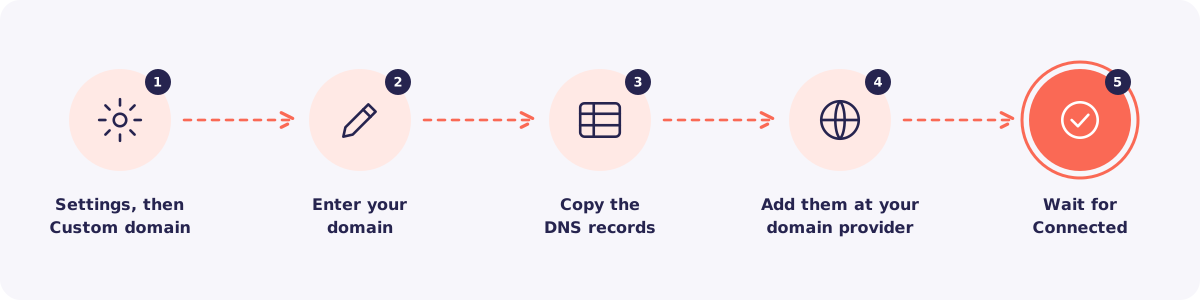
Step 1. Open Custom domain
Click Settings, then Custom domain.
Step 2. Enter your domain
Type the subdomain you want to use, for example docs.yourfirm.in. Use a subdomain, not your main website address.
Step 3. Copy the DNS records
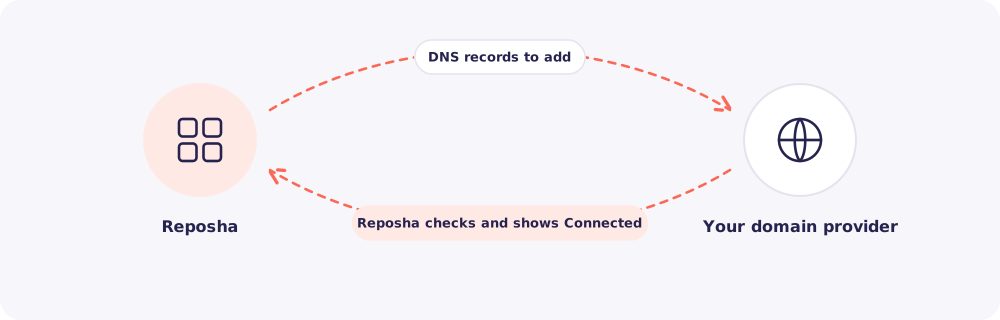
Reposha shows the DNS records to add. Copy them exactly.
Step 4. Add them at your domain provider
Log in to your domain provider. Open the DNS settings for your domain. Add the records as shown, then save.
Not sure how? Send the records to whoever manages your website. It's a five-minute job for them.
Step 5. Wait for Connected
Go back to Custom domain in Reposha. The status changes to Connected once the records are found. This can take from a few minutes to a few hours.
From then on, new links use your domain.
Quick answers
What if someone opens docs.yourfirm.in on its own? They see a short page asking them to use the personal link their firm sent. Nothing else is shown.
Does my own domain change security? No. The link still needs a valid code, and files still can't be viewed through it.