
Close your account the right way
We'd be sorry to see you go. If you do leave, leave cleanly. The way you close decides how long you keep access and whether you can download your files.
Who can do this: the Owner.
Time: about 4 minutes to read. Plan a few days for downloads.
First, which path is yours?
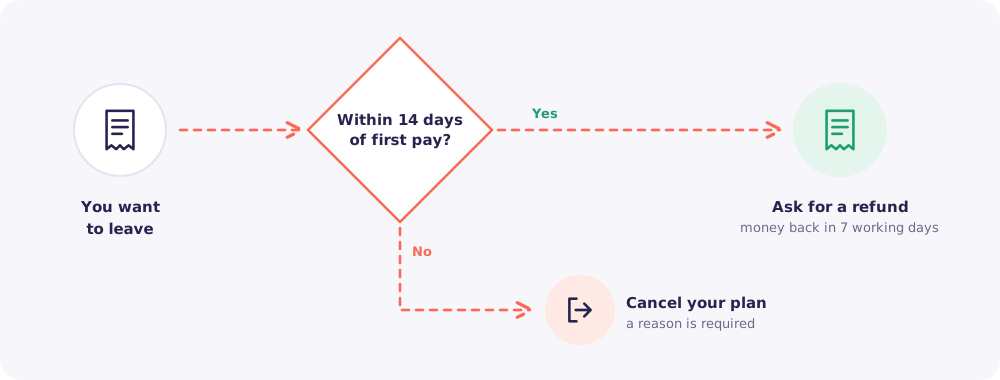
Within 14 days of your first payment: ask for a refund from Billing → Refund. You get your money back within 7 working days. You have 3 days to download what you need before the account is deleted.
After 14 days: cancel your plan from Billing → Cancel. Read on.
Cancel, don't just stop paying
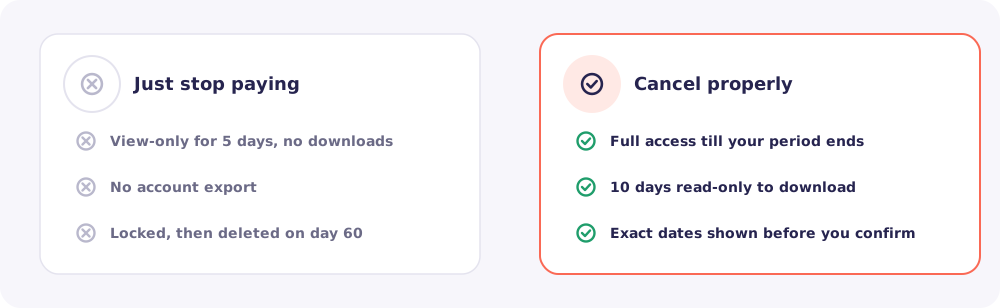
If a payment simply fails, your account goes view-only for 5 days with no downloads. Then it locks, and it is deleted on day 60. Cancelling properly gives you far more time and control.
What happens after you cancel
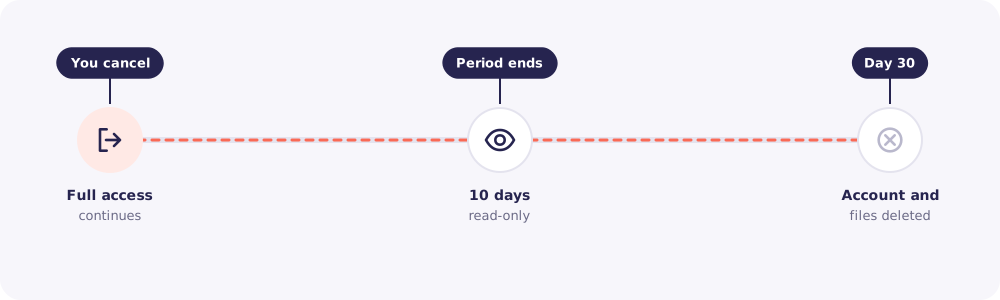
- Until your paid period ends: everything works as usual.
- Then, for 10 days: your account is read-only. You can open and download files.
- On day 30: your account and all files are deleted for good.
Before you confirm, the Cancel page shows you the exact dates for your account.
The right way, step by step
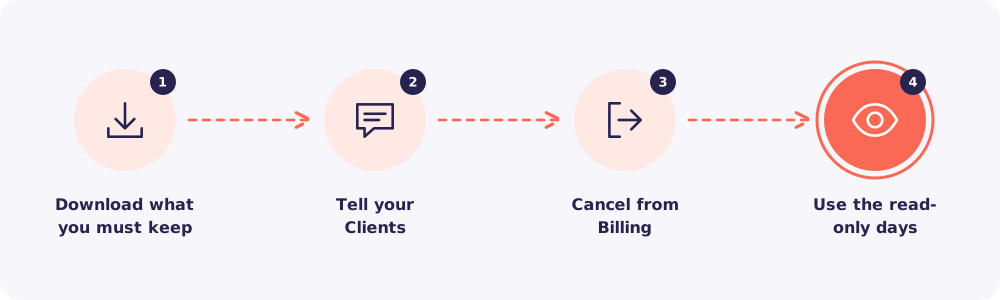
Step 1. Download what you must keep
Your firm may need some records for years. Use Download all on each Client's page for the files you must keep. Export the Activity log too, if you want a record of who accessed what.
Step 2. Tell your Clients
Let your Clients know how to send documents from now on, so nobody uploads to a link that's about to stop.
Step 3. Cancel from Billing
Go to Billing → Cancel. Choose a reason. It's required, and we may suggest a fix that saves you the trouble. Check the dates, then confirm.
Step 4. Use the read-only days
Finish any downloads during your 10 read-only days.
Full account export
If you've been a paying User for more than 3 months, you can download one full export of your account when you close it. It's offered once, at closing.
Quick answers
What's the difference between cancelling and deleting my account? Cancelling stops your plan at the end of the period. Deleting, from Settings → Delete account, closes everything sooner. It asks for your password, a code we email you, and a reason. You then have 30 days to change your mind.
Can I come back later? Yes, as long as your account hasn't been deleted yet. Choose a plan again from Billing.