Office Laptop Theft Is a Data Breach: Your DPDP Checklist
A laptop theft data breach under DPDP starts with one stolen laptop on a Monday morning. The laptop goes missing from a car boot. It holds scanned Aadhaar cards, two years of bank statements and the GST files for a dozen clients. Nobody can say whether the drive was locked.
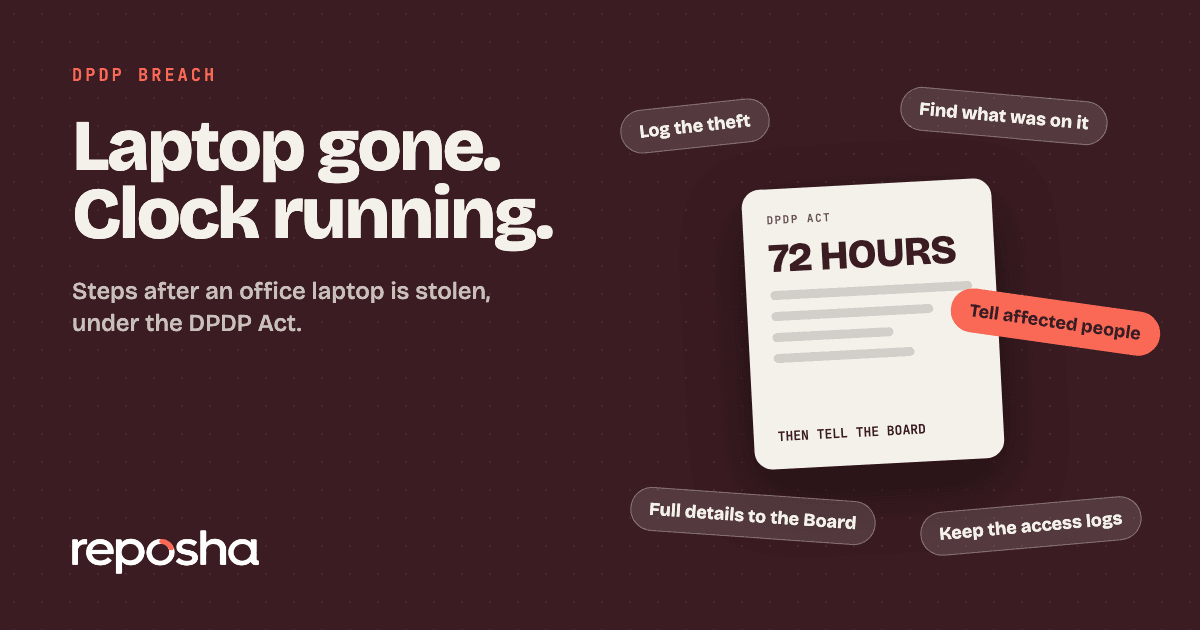
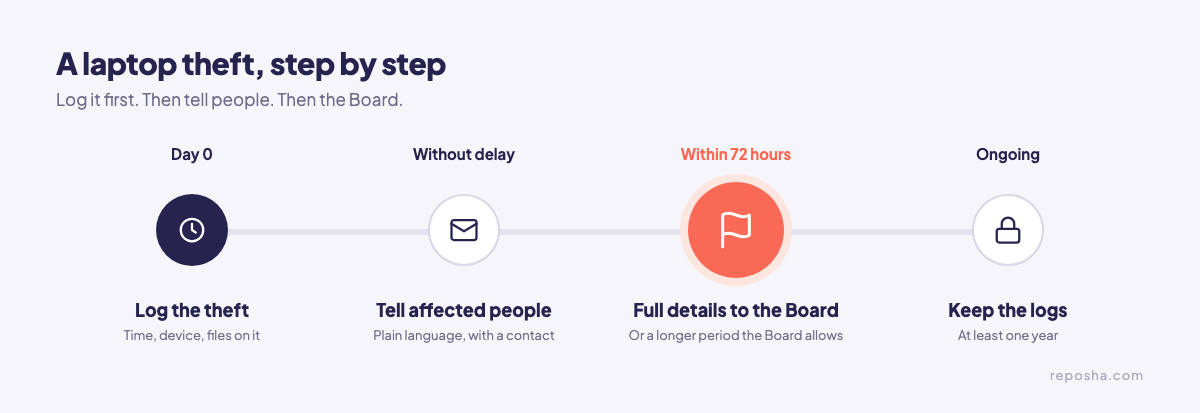
A stolen office laptop can be a personal data breach under the DPDP Act. Loss of personal data that affects its confidentiality, integrity or availability is a breach under section 2. The firm then tells the affected people without delay, and the Data Protection Board with full details within 72 hours, unless the Board allows a longer period. Those duties apply from about 13 May 2027, unless the government shortens the period. The DPDP penalties guide for small firms shows what is at stake for an office this size.
Does a stolen laptop count as a breach?
It depends on what the laptop held. Write down what was on the device, whether it was locked and who could open it. Then the answer rests on a record and not on memory. Section 8(1) keeps the firm responsible for personal data in its possession or control, whatever device holds it.
What to write down on the first morning
- The time the laptop was last seen, and the time it was found missing
- The make, model and serial number
- Whether the drive was encrypted, and whether the log-in was on
- Every client folder, file and email account that could be opened from it
- The staff member who had it, and whether a copy exists elsewhere
- The police station reference, if a complaint was made
What happens next, step by step
Work through the steps in order. Then the file shows what the firm knew, and when it knew it. The duties to tell people and the Board start in May 2027, but the routine is worth building now.
Situation 1: The laptop was encrypted and locked
Encryption, access control and backups are named safeguards in Rule 6 of the DPDP Rules, 2025. Keep proof that they were in place: the settings screen, the policy and the log-in record. Still list the files on the device. A lock supports the report, but it does not replace the list.
Situation 2: No encryption, or a shared password
A laptop without disk encryption, or one that many staff opened with one password, gives the firm less to point to. Record that plainly, without guessing. Then check the other office machines for the same habit, because a shared password often repeats across them.
Situation 3: The client files were on a staff member's own laptop
Section 8(1) covers personal data in the firm's possession or control, whatever device is used. A staff member's own laptop is no exception if client files were on it. The client data on staff phones guide covers that gap in detail.
Situation 4: The laptop is found later
Finding the laptop does not close the file. Record when it was found, what was on it, and whether anything was opened, copied or changed. Keep that note with the first report.
The penalties, in numbers
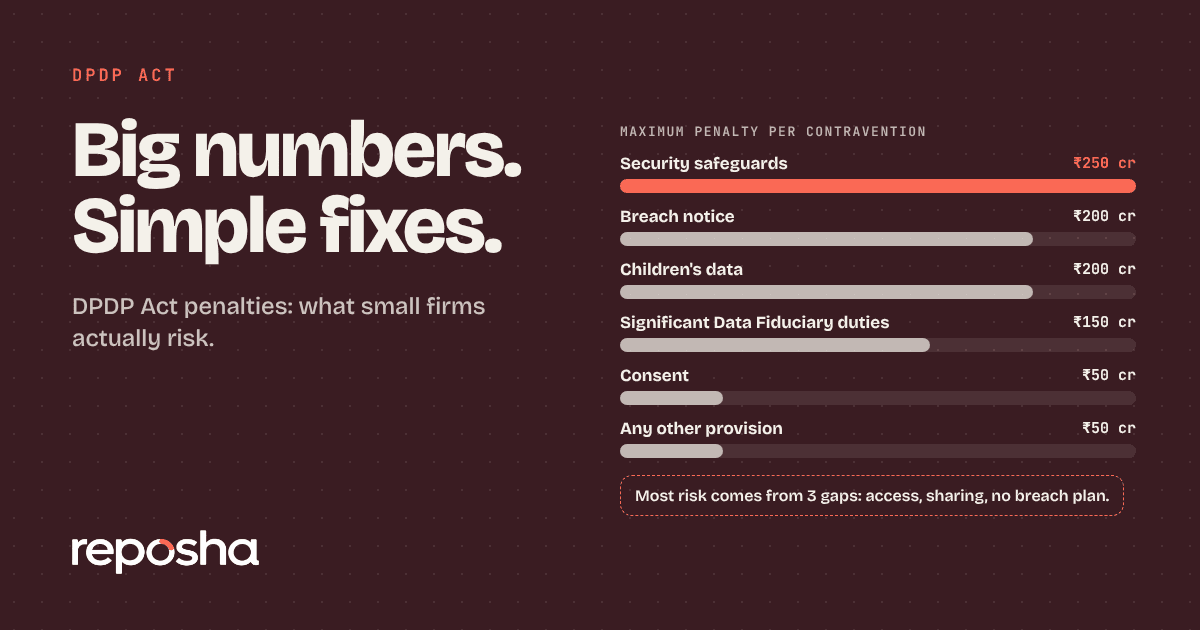
The Schedule to the Act sets maximum penalties of ₹250 crore for failing to take reasonable security safeguards, and ₹200 crore for failing to report a breach. These are maximum amounts, not a forecast for any one firm. Keep the safeguards and the record in place, and the file has its answer ready.
Keep the logs, and name a contact
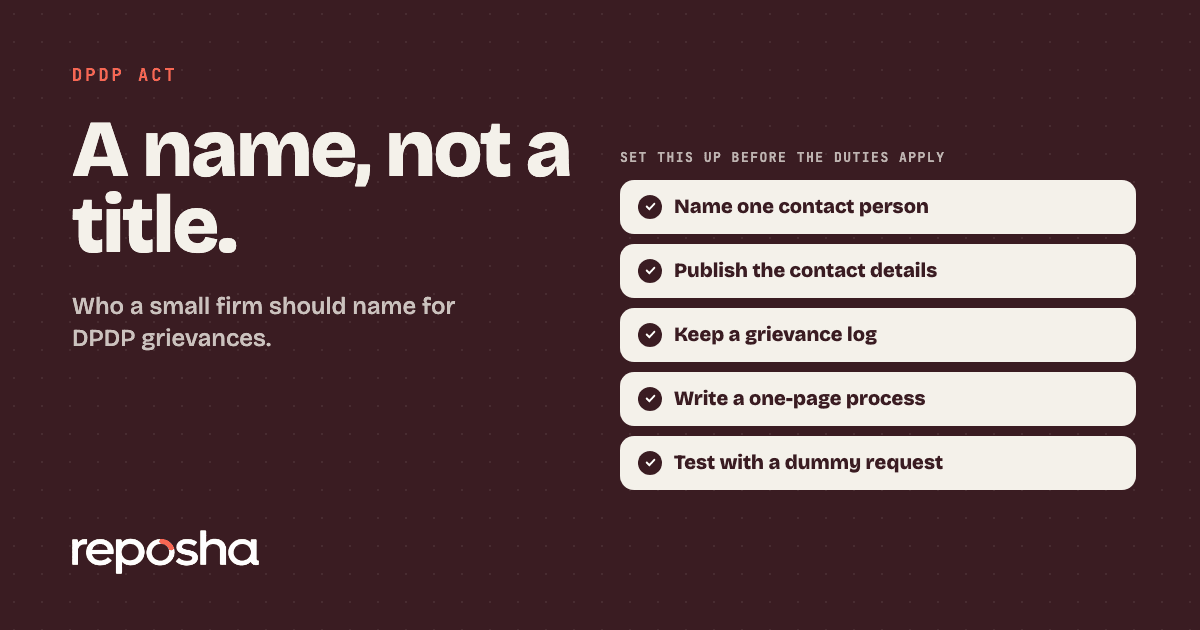
Keep certain logs and data for at least one year. Reposha keeps a log of every open and download, which answers the first question anyone asks after a loss. Name one person who answers questions from people affected, and publish that contact. The grievance officer guide for a small business explains who that can be.
If the files have already leaked
If the files have been shared or posted, the next steps change. The client file leak guide walks through them.
Keep client files off the laptop
Reposha, DPDP-ready document management for professional firms, keeps each Client's files in one folder, so nothing needs to sit on a desktop. You send one upload link per request. Clients upload from a phone or laptop, with no account, in English or Hindi. The link and a one-time code arrive as two separate WhatsApp messages. Only staff with access to a Client can open that folder, and every open and download is logged.
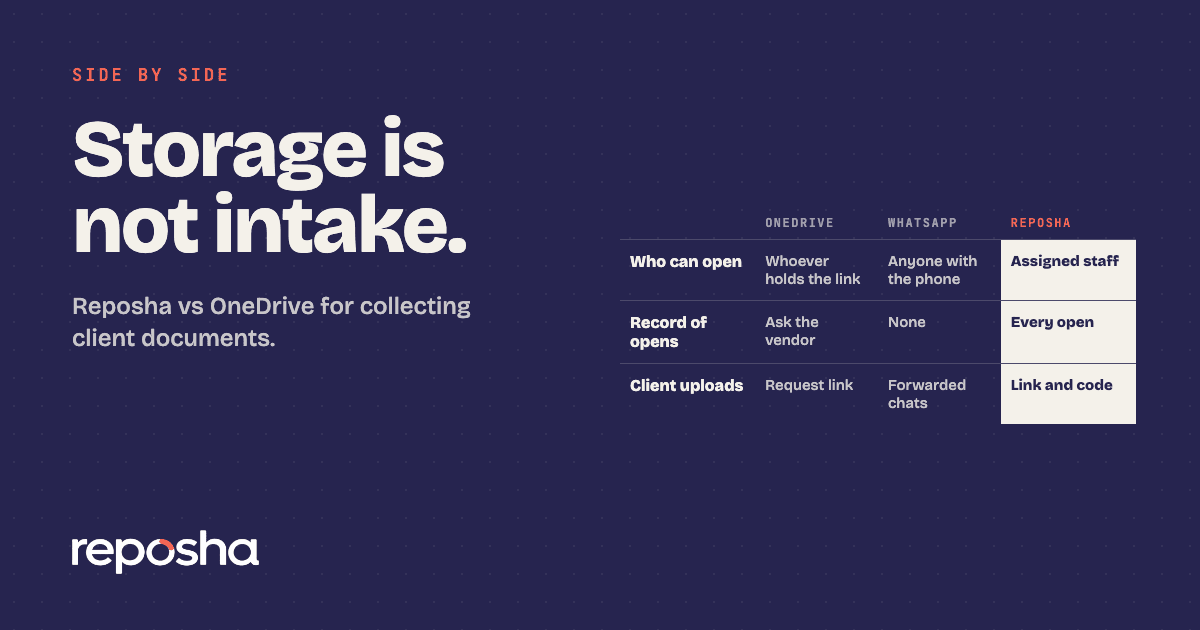
If your team already works from a synced drive, the Reposha and OneDrive comparison shows where the two differ.
Start at reposha.com.
Questions people ask
Is a stolen office laptop a data breach under DPDP?
It can be. Loss of personal data that affects its confidentiality, integrity or availability is a breach under section 2 of the Act.
How fast must a firm report a laptop theft to the Board?
Without delay, with full details within 72 hours, unless the Board allows a longer period. The duty applies from about 13 May 2027, unless the government shortens the period.
Does encryption on the laptop settle the DPDP question?
Encryption is one of the named safeguards under Rule 6. Record whether the laptop was encrypted, and what was on it, before you decide what to report.
How can a firm stop client files living on one laptop?
Keep each client's files in one folder with access limited to staff. Reposha, DPDP-ready document management for professional firms, keeps a folder per Client and logs every open.
General information only, not legal, tax or financial advice. Rules and dates change, so confirm before acting.
Open the demo account to see how requests, folders and the activity record look. No sign-up needed.